Deltavox
Choosing the right multimode transceiver can feel simple until a network fails under real traffic. A datasheet may list speed, reach, and wavelength, yet those figures rarely tell the whole story. Fiber type matters. So does connector polish. A 40-meter link inside a data center behaves differently from a dusty, crowded cabinet. Even experienced engineers sometimes select a module by price first, then discover compatibility problems later.
This guide, “10 Tips for Choosing the Right Multimode Transceiver,” focuses on practical decisions that affect reliability. It examines transmission speed, fiber grades, wavelength options, connector types, power consumption, and operating temperature. Vendor compatibility deserves careful attention. Some switches accept only coded or approved modules. Others require specific firmware versions. Checking these details before purchase can prevent delays and unnecessary replacements. Physical testing also matters. Inspecting a sample connection, reviewing diagnostic readings, and confirming link stability under load provide stronger evidence than marketing claims. Small details count.
Experience helps, but assumptions can still mislead.
Reliable selection combines manufacturer documentation with measured network conditions. Independent certifications and clearly stated warranties can strengthen confidence. However, no single specification guarantees perfect performance. Cable age, bend radius, installation quality, and airflow may influence results. This article offers a practical framework, not an automatic answer. Readers should verify every recommendation against their equipment, fiber infrastructure, and future upgrade plans before making a final decision.
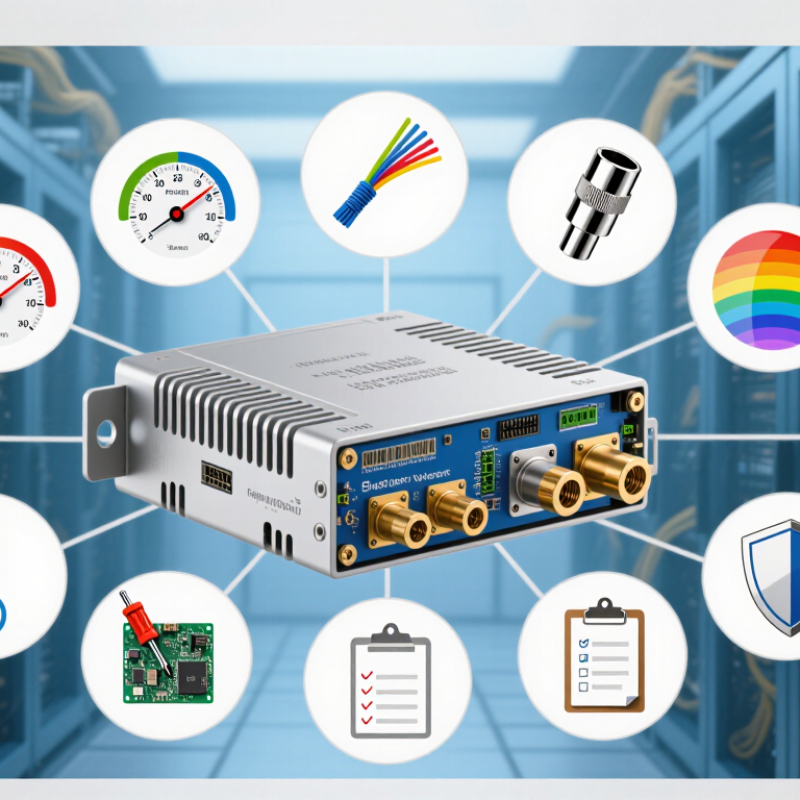
10 Tips for Choosing the Right Multimode Transceiver
Define Multimode Transceiver Types and Network Compatibility
A multimode transceiver sends data through a wider optical core than single-mode equipment. Common fiber types include OM1, OM2, OM3, OM4, and OM5. Their core sizes, bandwidth ratings, and practical transmission distances differ. Most modern short-range links use 850 nm optics with laser sources. However, the transceiver and fiber must support the same wavelength and performance class.
Tip: Match the transceiver to your fiber type, network speed, and link distance. Check whether the module supports 1G, 10G, 25G, or higher rates. Connector shape matters too, especially when using duplex LC cabling or parallel-fiber connections. The switch port must also recognize the module’s coding and electrical interface. Compatibility is not only physical. Firmware, polarity, optical power, and receiver sensitivity can affect stability.
In field installations, I verify the fiber label, switch documentation, and optical budget before ordering. A short OM4 link may perform well with a higher-speed module, while an older OM1 cable may create serious limits. Do not assume every multimode optic works across all generations. I once trusted a familiar connector and overlooked the fiber grade. The link passed briefly, then showed rising errors under load. That mistake was avoidable.
Tip: Leave operating margin. Measure actual distance, inspect connectors, and review diagnostic readings after installation. Dust, tight bends, and mismatched polarity can weaken a seemingly compatible link. A standards-based selection process is safer than choosing by price or appearance. Certified testing is useful, but real network conditions still deserve attention.
10 Tips for Choosing the Right Multimode Transceiver
Match Fiber Specifications with Distance, Speed, and Wavelength
Choosing a multimode transceiver starts with the installed fiber, not the advertised data rate. Check whether the cable is OM1, OM2, OM3, OM4, or OM5. Each grade supports different distances at specific speeds. A 10G link may reach about 300 meters on OM3, while OM4 can extend farther under suitable conditions. Confirm the standard before purchasing.
Wavelength matters too. Many multimode systems operate near 850 nanometers, but newer designs may use multiple wavelengths. The transceiver and fiber must support the same optical range. Do not rely on connector shape alone. Check transmission speed, duplex or parallel operation, connector type, and maximum channel length. Then compare the allowed insertion loss with the measured loss of the link.
I once saw a short data-center link fail because its fiber length looked acceptable. The real problem was excessive connector loss. Small details matter. Review polarity, patch-panel quality, and bend conditions. Use diagnostic monitoring when available, and record optical power during commissioning. Temperature ratings deserve attention in crowded cabinets. Specifications are not always enough. Installation records can be incomplete, and fiber labels may be wrong. When uncertain, test the cable with a calibrated power meter and light source before ordering large quantities.
Typical maximum multimode fiber reach varies by fiber grade and Ethernet speed. Shorter-wavelength 850 nm multimode optics are commonly used for these links, while higher data rates require higher-grade fiber and tighter distance limits.
Values show typical maximum link distances in meters for common multimode Ethernet applications. A dash indicates that the fiber grade is generally not specified for that application. Actual performance also depends on connector loss, splice loss, channel design, and transceiver specifications.
Connector design should match the installation, not just the switch port. The Ethernet Alliance’s 2024 Ethernet Roadmap highlights 400G and 800G as active data-center migration targets. At 400G, IEEE 802.3cm supports multimode links up to 100 meters over OM4 fiber. That distance can shrink with poorer cabling, bends, or contaminated connectors. Small details matter.
I inspect connector polarity, keying, latch access, and cleaning space before approving a transceiver. MPO connections can save rack space, but dense panels make testing and maintenance harder. Port density also affects airflow and finger clearance. High density is useful. It is not automatically better. Uptime Institute’s 2024 Global Data Center Survey reported that more than half of operators experienced a significant outage within three years. Installation errors remain an uncomfortable possibility.
Choose a port layout that technicians can reach without removing neighboring cables. Confirm whether the transceiver needs duplex LC, MPO-12, or MPO-16 connectivity. Check bend-radius limits beside the rack. A short patch cable may look neat but create excessive strain behind the panel. I have seen this overlooked during rushed upgrades. The design passed the spreadsheet review, yet the field work became awkward. Allow extra slack, label both ends, and test insertion loss after installation. TIA cabling guidance also supports documenting polarity and link performance, not relying on visual inspection alone.
Choosing the right multimode transceiver starts with verifying device compatibility, not comparing prices. Check the switch port speed, supported wavelength, connector type, and fiber category. A transceiver designed for 850 nm operation may suit OM3 or OM4 fiber, but the permitted distance can vary by data rate. Read the equipment documentation carefully. Small differences matter.
Confirm that both devices follow the same Ethernet standard, such as the relevant IEEE 802.3 specification. Then check interoperability requirements, including transmission mode, lane configuration, coding, and forward error correction. A duplex module cannot replace a parallel module without the correct cabling. Connector polarity also deserves attention. It can turn a new installation into a dark link. Test it before deployment.
I have learned this the hard way. Compatibility is not a checkbox. Ask whether the transceiver is approved for the exact host platform, firmware level, and operating temperature. Review optical transmit power, receiver sensitivity, and link budget at the planned distance. Digital monitoring can reveal temperature, voltage, and optical levels during operation. Useful evidence beats assumptions. Still, documentation is not always perfect, and field results may differ from laboratory claims. Record the test conditions, fiber length, patch panels, and measured power. If possible, test both ends together before buying in quantity. A small pilot may expose an interoperability issue early, when correction is still affordable.
| No. | Selection Dimension | What to Verify | Typical Technical Data | Why It Matters | Recommended Action |
|---|---|---|---|---|---|
| 1 | Host Device Compatibility | Confirm the transceiver form factor, port type, and supported host platform. | Common form factors include SFP, SFP+, SFP28, QSFP+, and QSFP28. Host ports must support the selected module type and data rate. | A physically compatible module may still fail if the host port does not support its electrical interface or operating speed. | Check the host equipment manual, port specification, and approved module list before purchasing. |
| 2 | Data Rate | Match the nominal transceiver speed with the network interface and application requirement. | Typical multimode Ethernet rates include 1.25 Gb/s, 10.3125 Gb/s, 25.78125 Gb/s, 41.25 Gb/s, and 51.5625 Gb/s, depending on the interface standard. | Using an incorrect speed can cause link failure, reduced performance, or unsupported auto-negotiation behavior. | Select the transceiver based on the actual port speed rather than only the connector or module appearance. |
| 3 | Multimode Fiber Type | Identify the installed fiber category and confirm that it is supported by the transceiver. | Common categories include OM1, OM2, OM3, OM4, and OM5. OM3 and OM4 are widely used for higher-speed short-reach links. | Fiber bandwidth, modal characteristics, and supported reach vary by category. | Review the cable jacket marking or installation records instead of assuming the fiber type from its color alone. |
| 4 | Transmission Distance | Compare the required link length with the rated reach for the selected fiber and data rate. | Typical multimode reaches range from approximately 70 m at 10 Gb/s over some OM3 installations to approximately 400 m under suitable OM4 conditions; exact limits depend on the standard and link budget. | Exceeding the specified reach can produce intermittent errors, low receive power, or complete loss of signal. | Calculate the complete channel length, including patch cords, cross-connects, and any intermediate panels. |
| 5 | Optical Wavelength | Ensure that both ends use compatible transmit and receive wavelength specifications. | Multimode transceivers commonly operate around 850 nm; some parallel or multiplexed designs use multiple wavelengths in the 850 nm region. | A wavelength mismatch can prevent the receiver from detecting the transmitted optical signal. | Verify wavelength, optical mode, and duplex or parallel-fiber architecture on both transceiver data sheets. |
| 6 | Connector and Polarity | Match the connector type, fiber count, and transmit-to-receive polarity. | Duplex modules commonly use two-fiber LC connections, while parallel-fiber modules may use multifiber connectors and separate transmit and receive lanes. | Incorrect connector configuration or reversed polarity can leave an otherwise suitable link inactive. | Inspect patch-panel labels and verify the cabling polarity method before installation. |
| 7 | Networking Standard | Confirm that the transceiver follows the Ethernet or Fibre Channel standard required by the network. | Relevant standards may include IEEE 802.3 specifications for Ethernet, with the exact clause depending on the speed and optical architecture. | Standards define parameters such as signaling rate, reach, optical power, receiver sensitivity, and lane arrangement. | Record the exact standard designation, not just a general description such as “multimode optic.” |
| 8 | Interoperability | Determine whether both ends can interoperate across different equipment models and module coding requirements. | Interoperability depends on matching speed, standard, wavelength, fiber type, connector, lane configuration, and host acceptance rules. | Two modules with similar physical dimensions may not establish a link if their coding or optical specifications differ. | Test the exact module pair in the intended devices or obtain written compatibility confirmation before deployment. |
| 9 | Optical Link Budget | Compare transmitter output, receiver sensitivity, connector loss, splice loss, and fiber attenuation. | A practical link budget is calculated as maximum transmit power minus minimum receiver sensitivity, with additional allowance for connection and maintenance losses. | Insufficient margin can cause unstable operation as connectors age or become contaminated. | Leave an engineering margin and validate the installed link with an optical power meter when possible. |
| 10 | Operating Conditions and Diagnostics | Check temperature range, power consumption, digital monitoring, and diagnostic support. | Standard commercial operating ranges are commonly around 0°C to 70°C, while extended-temperature versions may support approximately -40°C to 85°C, depending on the module design. | Environmental limits and diagnostic visibility affect reliability, troubleshooting speed, and maintenance planning. | Select the temperature grade for the installation site and use digital diagnostics only when the host platform supports them. |
Verification note: Technical values are representative industry figures. Always confirm the exact optical specifications, supported standards, host compatibility, and maximum reach in the transceiver and network-equipment documentation before deployment.
Choosing a multimode transceiver requires more than checking speed and connector type. Reliability should lead the comparison. Uptime Institute’s 2024 survey reported that 53% of organizations experienced an outage during the previous three years. Ask for temperature ratings, optical performance limits, warranty terms, and documented failure rates. Test modules under heat, dust, and sustained traffic. A cool lab is not enough.
Diagnostics can reduce troubleshooting time. Digital monitoring should expose temperature, voltage, transmitted power, and received power. These readings help engineers identify dirty connectors, weak links, or rising thermal stress before service stops. However, diagnostics are not magic. Poor calibration can create false confidence. Confirm monitoring accuracy and compatibility with existing network tools.
Power use also affects total cost. The IEA reported that data centers consumed about 460 TWh of electricity in 2022, with demand potentially reaching 620–1,050 TWh by 2026. Compare watts per module, cooling impact, and density limits, not wattage alone. A lower-priced transceiver may require more replacements or onsite labor. Build a three-to-five-year model covering purchase cost, energy, spares, maintenance, and downtime. Include installation time. That detail is often missed. Reference data should come from independent test reports, standards documentation, and measured field results, rather than sales claims.
It sends data through a wider optical core than single-mode equipment. Common fiber grades include OM1, OM2, OM3, OM4, and OM5. They support different speeds and transmission distances.
Check the fiber label before reviewing the advertised data rate. Confirm whether the cable is OM1, OM2, OM3, OM4, or OM5. An OM3 link may support 10G across about 300 meters. Actual performance depends on connectors, bends, and total channel loss.
Yes. The transceiver and fiber system must support the same optical range. Many short-range systems operate near 850 nanometers. Some newer designs use multiple wavelengths. The connector may fit, yet the optical range may still be wrong.
Check the switch speed, supported standard, coding, and electrical interface. Confirm whether the module supports 1G, 10G, 25G, or higher rates. Review the host platform and firmware requirements. Small details matter.
Not automatically. Duplex and parallel designs use different lane configurations. They may require different cabling and connector arrangements. Check polarity and port documentation before installation. A connector can fit while the link remains dark.
Measure the actual fiber length, including patch panels and cable assemblies. Compare measured insertion loss with the allowed link budget. Review transmit power and receiver sensitivity at both ends. Leave operating margin. Laboratory distance claims may not match field conditions.
Dust, tight bends, poor patch panels, and reversed polarity can reduce optical performance. Excessive connector loss may cause errors on a short link. Temperature can also affect modules inside crowded cabinets. Inspect connectors and record optical readings during commissioning.
Test both ends together before purchasing a large quantity. Use diagnostic readings for temperature, voltage, and optical levels. A small pilot can expose problems early. I once trusted a familiar connector and overlooked the fiber grade. The link passed briefly, then errors appeared under load. That assumption needed correction.
Choosing the right multimode transceiver starts with understanding the available transceiver types and confirming that they match your network architecture. Review the fiber type, transmission distance, required data speed, and operating wavelength to ensure reliable signal performance. Connector design, port density, rack space, and installation conditions should also be considered, especially when planning upgrades or high-density deployments.
Before purchasing, verify compatibility with your switches, routers, and other network devices, as well as compliance with relevant industry standards. Interoperability can reduce configuration problems and simplify future expansion. It is also important to compare reliability, monitoring and diagnostic functions, power consumption, operating temperature, and warranty support. Finally, evaluate the total cost rather than focusing only on the purchase price. A dependable multimode transceiver with suitable performance, efficient power use, and practical maintenance features can provide better long-term value and help create a stable, scalable fiber network.
