Deltavox
Choosing the right LC connector transceiver is not just a matter of matching the connector shape. It must also work with your switch, fiber type, link speed, and required transmission distance. Check the equipment’s compatibility list before buying; two modules with LC interfaces may still use different wavelengths or fiber standards. Small details matter. For example, a multimode link in a server room has different requirements from a single-mode connection between buildings. Confirm the cable type and module specifications together, rather than relying on appearance alone.
Distance and performance deserve equal attention. Compare the transceiver’s rated reach with the actual cable route, including patch panels and other connection points. Then consider the switch’s supported data rate, module power budget, and operating temperature. In a dense rack, heat and airflow can affect reliability over time. Where available, digital diagnostics can help technicians review temperature, optical power, and voltage during troubleshooting. Keep connectors clean, too; dust on an LC end face can cause avoidable signal problems. It is easy to focus on maximum reach, but that may not be the best fit for a short, low-cost link. A careful selection starts with the network’s real requirements, verified against manufacturer documentation. Even then, compatibility can vary by device, so checking before installation is a sensible final step.
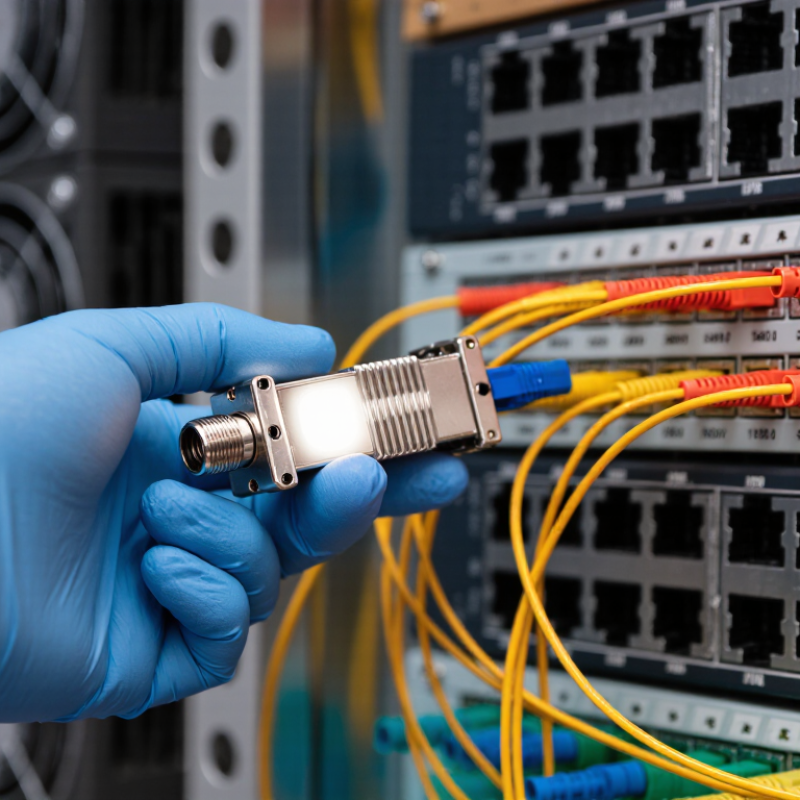
Start with the actual link, not the LC connector. Record the required data rate, distance, fiber type, wavelength, and number of fibers. An LC interface alone does not confirm that two transceivers will work together. Check both ends’ specifications and the equipment’s supported module type. Small details matter.
The Ethernet Alliance’s 2024 Ethernet Roadmap charts Ethernet rates through 800 Gb/s and identifies 1.6 Tb/s as an emerging rate. For a more familiar example, IEEE 802.3 specifies 10GBASE-SR operation up to 300 meters over OM3 fiber and 400 meters over OM4. These figures help narrow choices, but verify the exact module specification and your installed cable grade. A multimode link needs compatible multimode optics; a singlemode link needs compatible singlemode optics. Also compare the transceiver’s wavelength, reach, and optical budget with the link’s measured loss. Leave margin. A dusty connector or an added patch panel can weaken the signal. I’ve seen teams focus on speed and overlook the cable path; it is an easy mistake. Check the switch’s compatibility list, too, before ordering.
Before choosing an LC connector transceiver, check the connector and the fiber already installed. LC describes the small connector format, not the optical mode or reach. Look at the cable jacket or installation records for single-mode OS2 or multimode OM3, OM4, or another specified grade. Then compare that information with the transceiver’s supported fiber type and wavelength. A connector that fits can still be optically wrong.
Check the polish, too. UPC and APC end faces are not interchangeable; their angled and flat contact surfaces can create poor connections or damage when mated. Inspect both ends, and confirm whether the link needs simplex or duplex LC. For duplex fiber, verify transmit-to-receive polarity. Small details matter. I’ve seen compatibility checks stop at “LC,” which is understandable but incomplete. If records are missing, inspect the cable markings and module specifications, then test the link with suitable equipment before relying on it. Don’t force a connector that resists insertion. A clean fit should be gentle.
How to Choose the Right LC Connector Transceiver
Match the transceiver to the link’s speed, wavelength, and required distance. An LC connector describes the physical interface, not the optical signal. The equipment at both ends must support compatible speeds and optical specifications. Check the switch documentation, too; a module that fits may still be unsupported.
Distance matters. For a short link inside a building, multimode fiber commonly pairs with 850 nm optics. Longer links often use single-mode fiber with optics designed for wavelengths such as 1310 nm or 1550 nm. These are useful starting points, not universal rules. Confirm the transceiver’s stated reach and fiber type against the cable installed. A 300-meter specification can be misleading if the link includes extra patch panels, bends, or poor connections.
Measure the actual route. Leave room for signal loss from connectors and splices, and compare that loss with the transceiver’s link budget. Both ends need compatible optics; matching LC connectors alone is not enough. Also check whether the device requires specific coding or settings. Small details matter. I would verify the model number and datasheet before ordering, even when the label seems clear. It is easy to overlook a speed mismatch when replacing just one end of a working link.
Compare data rate, wavelength, and typical maximum reach for common duplex LC transceivers operating over single-mode fiber. Confirm the optic specification and link budget for your installation.
How to use this chart: First match the transceiver data rate to your equipment, then check that its wavelength and fiber type suit the link. Reach figures are typical specified limits; actual performance depends on the complete optical link.
Start with the link’s optical power budget, not the advertised reach. Subtract the receiver’s minimum sensitivity from the transmitter’s minimum output power. Then allow for connector, splice, and cable losses. IEEE 802.3 optical interface specifications define transmit and receive limits for Ethernet links; check the limits for your exact transceiver type. Small losses add up. A dusty LC endface or an extra patch panel can use up margin faster than expected.
Reach depends on fiber type, wavelength, and operating conditions. ITU-T Recommendation G.652 gives maximum attenuation values of 0.4 dB/km at 1310 nm and 0.3 dB/km at 1550 nm for relevant single-mode fiber specifications. These figures do not include every real-world loss. Check the transceiver’s temperature range, receiver overload limit, and fiber compatibility, too. I still see reach treated as a guarantee; it is only a design limit, and field conditions can be less tidy.
Tips: Clean and inspect both LC endfaces before testing. Record transmit power and received power at the far end, then compare them with the datasheet limits. Measure, don’t guess. If the link barely meets budget, reconsider the path or choose more margin.
An LC connector describes the small, latched fiber interface; it does not guarantee that a transceiver will work in your equipment. Check the device’s supported transceiver type and port specifications before ordering. Match the fiber mode, wavelength, data rate, reach, and duplex configuration. A single-mode module paired with multimode fiber may not provide the expected link. Small details matter.
Next, compare the transceiver’s stated product standards with the network equipment requirements. Ethernet applications may specify an IEEE 802.3 clause, while multi-vendor modules may reference a relevant MSA. Confirm that the standard covers the needed speed, optical distance, and interface—not just the connector shape. Read the equipment manual and module datasheet side by side. That detail gets missed.
Also check host compatibility, including supported coding, power limits, and digital diagnostics if your system requires them. A module can meet optical specifications yet be rejected by the host device. Look for clear operating-temperature and compliance information, then verify any part number against the equipment maker’s compatibility list. In practice, connector fit is the easiest check; the rest takes more care. Datasheets can be unclear, so confirm uncertain specifications with the supplier before installation.
Subtract receiver sensitivity from transmitter output power, then account for connector, splice, and cable losses. Small losses add up.
No. Reach is a design limit, not a promise. Dust, extra patch panels, and operating conditions can reduce the usable distance.
Relevant specifications give maximum attenuation values of 0.4 dB/km at 1310 nm and 0.3 dB/km at 1550 nm. Real installations may have additional losses.
Clean and inspect both LC endfaces. A dusty connector can consume optical margin faster than expected.
Record transmit power and received power at the far end. Compare both readings with the transceiver’s datasheet limits. Measure, don’t guess.
No. Check the supported transceiver type, port specifications, fiber mode, wavelength, data rate, reach, and duplex configuration. Connector fit is only one detail.
Confirm that the stated standard covers the required speed, optical distance, and interface. Check supported coding, power limits, and digital diagnostics if needed.
Check host compatibility and the equipment’s compatibility list. Confirm unclear details with the supplier before installation; datasheets can be vague, and I may miss something.
Choosing the right LC connector transceiver starts with understanding your network requirements, including the type of equipment, link capacity, and intended application. Confirm that the transceiver’s LC connector matches the fiber type in your cabling system, such as single-mode or multimode fiber, to ensure a suitable physical and optical connection.
Next, match the transceiver’s speed, wavelength, and rated transmission distance to the link specifications. Check that its optical power and reach are appropriate for the planned connection, and consider operating conditions such as temperature and installation environment. Finally, verify that the LC connector transceiver is compatible with the equipment and meets the relevant product standards. Reviewing these details before installation can help avoid mismatches and support a reliable, efficient network link.
